
Teams User Guide - Make your MS account searchable
Make your MS account searchable
For your tutor to contact you on Teams, your Microsoft account must be searchable by others.
Keep this On (visible) — tutors cannot find you in search when it is off.
Settings (Windows)
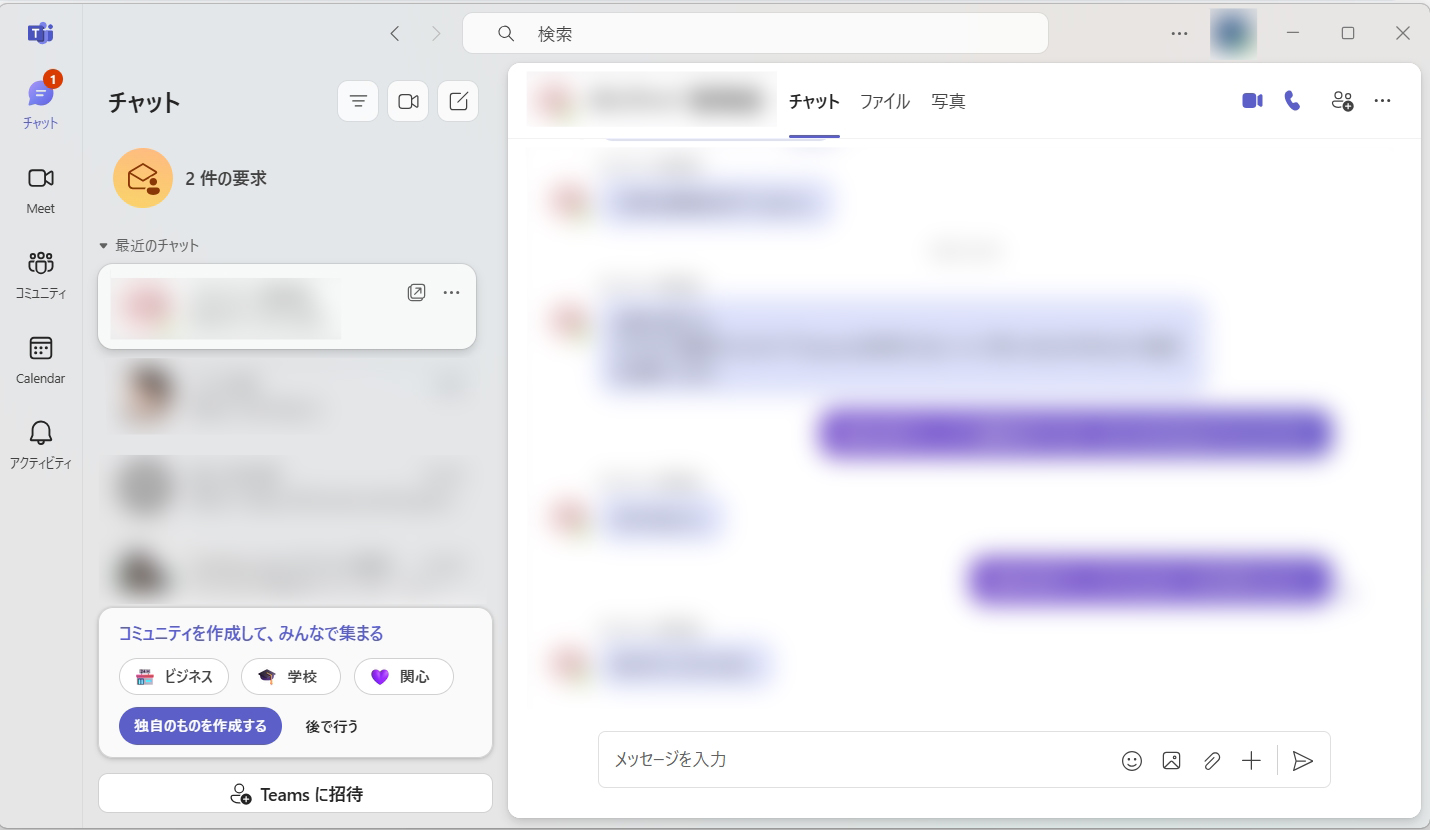
Click "..." next to your profile icon at the top right of Teams, then click "Settings".
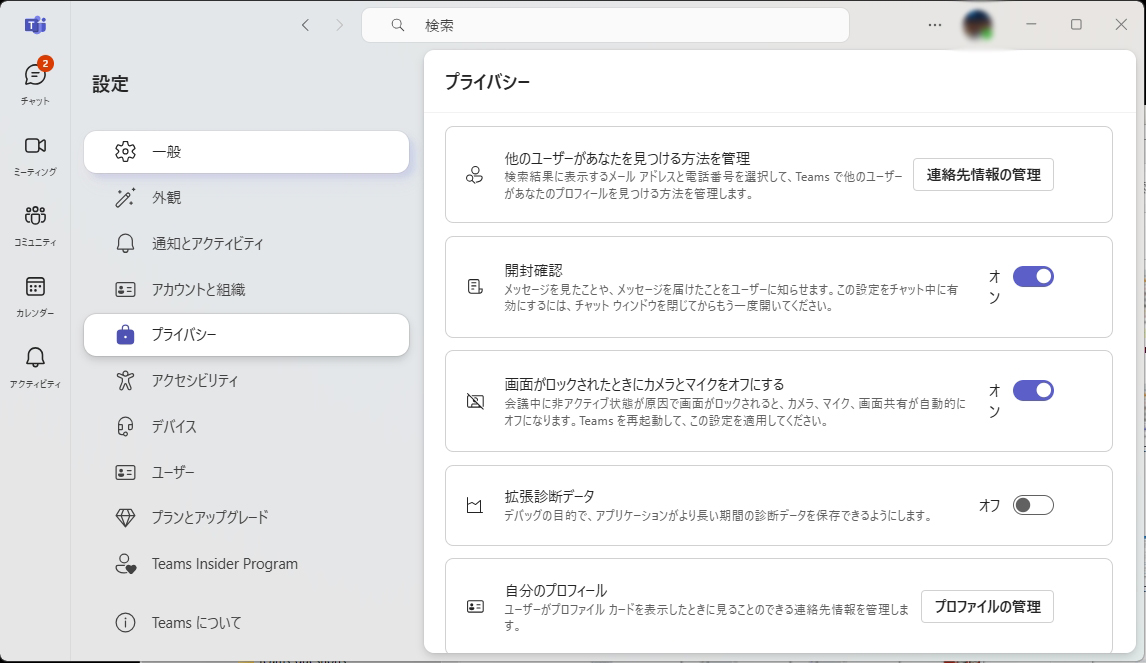
Click "Privacy" on the left, then click "Manage contact info" on the right.
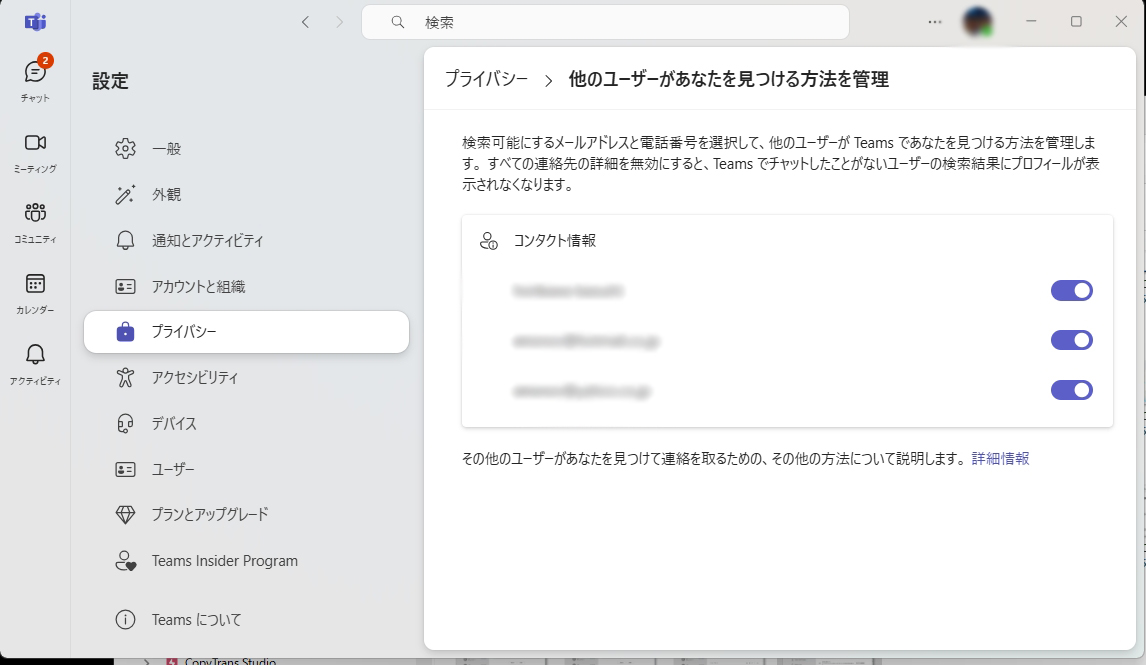
Check that "Contact information" is visible on this page (toggle must be on).
* If you have multiple contact items, you may hide any you like — but keep the Microsoft account and username you registered with NetChai visible so your tutor can identify you.
