
Teams User Guide - Search & invite
Search & invite
Unlike Skype, Teams requires you to invite the other person and have them accept before you can message or call.
A tutor cannot call a student until the student accepts the invitation first.
Search & Invite (Windows)

At the top of the Teams window, enter the other person's Microsoft account in the "Search" box.
* A Microsoft account is usually an email address like xxxx@outlook.com or xxxx@outlook.jp.
Learn more about Microsoft accounts below.
What Is a Microsoft Account?
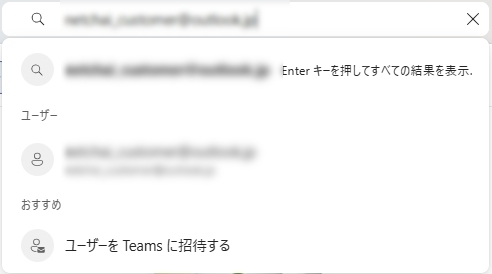
For example, to invite NetChai support, type "netchai_customer@outlook.jp" in the search box.
Matching accounts appear automatically — no need to press Enter. Click the account shown under "People."
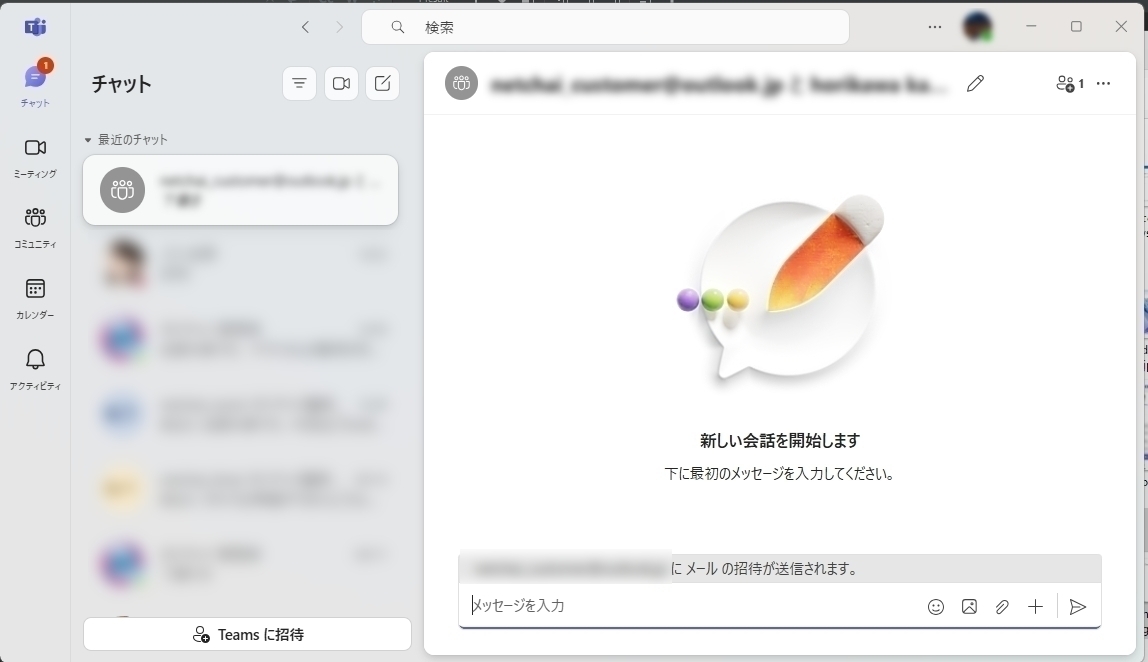
Click it to return to chat, then type a message like "This is ○○, a NetChai student." to send the invitation.
